
Finding the right laptop can feel overwhelming. With hundreds of configurations, confusing technical jargon, and shifting price points, it is easy to make a costly mistake. Buying a laptop that is underpowered will leave you frustrated with lagging software, while overspending on features you never use is a waste of money.
This comprehensive guide breaks down everything you need to know to make an informed, confident purchase. Whether you are a student on a budget, a corporate professional needing reliable battery life, a freelance creator handling heavy video files, or a competitive gamer demanding raw performance, this guide is tailored for you.
1. Defining Your Needs: Who Are You as a User?
Before looking at specifications like RAM or storage, you must identify your core usage category. Laptops are specialized tools; what works perfectly for an architect will be heavy and impractical for a traveling sales representative.
The Everyday User (Casual & Study)
- Primary Tasks: Web browsing, streaming Netflix or YouTube, writing documents, checking emails, and joining Zoom classes.
- Key Requirements: Reliability, comfortable keyboard, decent display, and affordable pricing.
- Recommended Hardware: Intel Core i3 / AMD Ryzen 3, 8GB RAM, 256GB/512GB SSD.
The Office Professional & Multitasker
- Primary Tasks: Handling large Excel spreadsheets, running multiple browser tabs simultaneously, managing databases, and light content creation.
- Key Requirements: Fast multitasking capabilities, snappy boot times, enterprise security features, and excellent battery life.
- Recommended Hardware: Intel Core i5 / AMD Ryzen 5, 16GB RAM, 512GB NVMe SSD.
The Creative Professional
- Primary Tasks: 4K video editing (Premiere Pro, DaVinci Resolve), 3D modeling (Blender, AutoCAD), high-resolution graphic design (Photoshop, Illustrator), and audio production.
- Key Requirements: A color-accurate display (high sRGB/DCI-P3 coverage), a powerful multi-core processor, and a dedicated graphics card.
- Recommended Hardware: Intel Core i7/i9, AMD Ryzen 7/9, or Apple M-Series Pro/Max chips, 16GB/32GB RAM, 1TB+ NVMe SSD, Dedicated GPU (RTX 40-series).
The Hardcore Gamer
- Primary Tasks: Playing modern AAA gaming titles at high frame rates.
- Key Requirements: A cutting-edge graphics card, advanced thermal cooling systems, and a high-refresh-rate display (144Hz or above).
- Recommended Hardware: Intel Core i7 / AMD Ryzen 7, Dedicated GPU (NVIDIA RTX 4060/4070/4080), 16GB/32GB DDR5 RAM, 1TB NVMe SSD.
Also Read: CapCut Video Template: Complete Guide to Finding, Using & Customizing Templates
2. Choosing the Right Operating System (OS)
Your choice of Operating System dictates the entire user experience, software ecosystem, and hardware limitations. The three dominant choices are Microsoft Windows, Apple macOS, and Google ChromeOS.
+-----------------------------------------------------------------------+

|                            OPERATING SYSTEMS                          |
+-----------------------+-----------------------+-----------------------+

|        WINDOWS        |         MACOS         |        CHROMEOS       |
|  • Maximum Games      |  • Creative Apps      |  • Budget-Friendly    |
|  • Massive Hardware   |  • Premium Build      |  • Fast Booting       |
|  • Universal Apps     |  • Deep Ecosystem     |  • Cloud-Based Work   |
+-----------------------+-----------------------+-----------------------+
Windows: The Versatile Industry Standard
Windows remains the most flexible operating system on Earth. It powers everything from budget $300 student machines to $4,000 extreme gaming rigs.
- Pros: Absolute compatibility with almost every software application ever built; the undisputed king of PC gaming; infinite hardware choices across dozens of brands.
- Cons: Prone to bloatware on cheaper models; regular update prompts can be intrusive; battery efficiency varies heavily between manufacturers.
macOS: The Premium Creative Haven
Apple’s macOS is exclusive to the MacBook lineup. Following the transition to Apple Silicon (M-series chips), MacBooks offer class-leading performance per watt.
- Pros: Unmatched battery life (often exceeding 15 hours of real-world use); exceptional build quality; near-silent operation; seamless integration with iPhones and iPads.
- Cons: High entry cost; virtually zero upgradeability after purchase (RAM and SSD are soldered); highly limited ecosystem for mainstream AAA gaming.
ChromeOS: The Lightweight Budget Alternative
ChromeOS is a minimalist operating system designed around the Google Chrome browser and cloud-based applications.
- Pros: Incredibly fast boot times; works smoothly on very cheap hardware; excellent battery life; supports Android apps via the Google Play Store.
- Cons: Highly dependent on an active internet connection; cannot run heavy desktop software like full desktop Photoshop or premium PC games.
3. The Core Internal Hardware: De-Jargonizing the Specs
When shopping online or in-store, a laptop’s spec sheet can look like a wall of random numbers. Let us break down the crucial components in plain language.
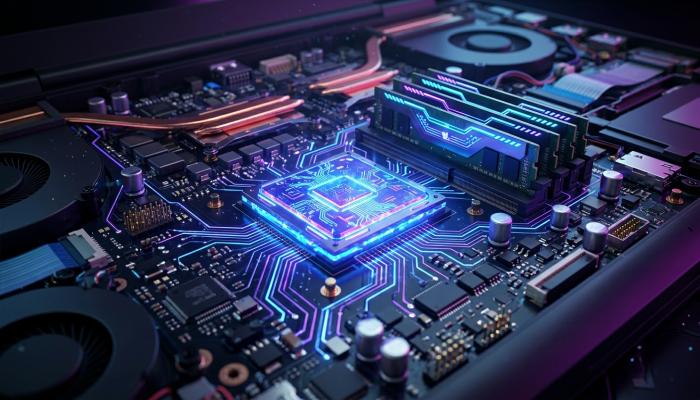
The Processor (CPU): The Brain of the System
The Central Processing Unit (CPU) executes every command on your machine. The market is dominated by Intel and AMD, alongside Apple’s custom silicon chips.
Understanding Intel Processors
Intel names its processors using tiers: Core i3, i5, i7, and i9 (along with their newer Core Ultra naming conventions).
- Core i3 / Ultra 3: Entry-level. Best for basic typing, web browsing, and video streaming.
- Core i5 / Ultra 5: The sweet spot. Excellent balance of price and performance for 85% of users.
- Core i7 / Ultra 7: High-end power. Intended for programming, complex audio production, and gaming.
- Core i9 / Ultra 9: Extreme enthusiast tier. Built for desktop-replacement workstations handling massive computational loads.
Understanding AMD Processors
AMD counters Intel with its Ryzen line, utilizing a similar numerical hierarchy.
- Ryzen 3: Budget-focused, offering capable everyday performance.
- Ryzen 5: High efficiency and excellent integrated graphics; great value for mid-range buyers.
- Ryzen 7: Superb multi-threaded performance, making it a favorite for mobile gamers and content creators.
- Ryzen 9: Top-tier processing power designed for unrelenting mobile creative workflows.
RAM (Random Access Memory): Your System’s Short-Term Memory
RAM dictates how many browser tabs, apps, and background processes your laptop can run simultaneously without freezing up or slowing down.
- 8GB RAM: The absolute baseline. Adequate for basic web browsing, word processing, and casual streaming. If you open 20 Chrome tabs while on a Zoom call, 8GB will feel sluggish.
- 16GB RAM: The modern golden standard. Strongly recommended for smooth multitasking, office work, entry-level gaming, and light photo editing.
- 32GB RAM or More: Crucial for professionals dealing with 4K video editing, extensive virtual machines, high-end 3D modeling, or modern demanding gaming titles.
Storage: Never Buy a Laptop Without an SSD
Storage holds your operating system, programs, documents, and media files permanently.
Historically, laptops used mechanical Hard Disk Drives (HDDs), which relied on spinning physical magnetic platters. Avoid HDDs completely. Modern laptops must feature a Solid State Drive (SSD), ideally utilizing the NVMe PCIe interface.
SSDs use flash memory with no moving parts. A laptop running on an SSD will boot up in under 15 seconds, launch apps instantly, and feel significantly more responsive than a machine bottlenecked by an old-school hard drive.
- 256GB SSD: The bare minimum. Fills up quickly after windows updates and installing basic apps.
- 512GB SSD: Ideal for most standard users, offering plenty of room for documents, photos, and a handful of large software programs.
- 1TB+ SSD: Mandatory for gamers with large game libraries and creators storing raw media assets.
4. Graphics (GPU): Integrated vs. Dedicated
The Graphics Processing Unit handles the rendering of images, UI elements, video playbacks, and 3D visual environments.
Integrated Graphics
Integrated graphics (like Intel Iris Xe, Intel Graphics, or AMD Radeon) share the system’s main processor and RAM.
- Best for: Office work, movie watching, and playing casual esports titles like League of Legends or Minecraft.
- Benefits: Lower laptop costs, less heat generation, and drastically improved battery longevity.
Dedicated Graphics
A dedicated GPU (such as the NVIDIA GeForce RTX or AMD Radeon RX series) features its own independent processor and ultra-fast video memory (VRAM).
- Best for: 3D rendering, AAA gaming, and complex video color grading.
- Drawbacks: Increases the weight, bulk, cost, and heat output of the laptop while heavily draining battery life.
5. Display Quality: Protecting Your Eyesight
If you work on a laptop for eight hours a day, the screen is the most important component affecting your comfort and eye strain. Do not make the mistake of buying great internal specs attached to a terrible display panel.
Screen Resolution
Resolution dictates the sharpness of images and text.
- HD (1366 x 768): Avoid at all costs. Text appears pixelated, and workspace area is cramped.
- Full HD / 1080p (1920 x 1080): The absolute minimum standard you should accept. Crisp enough for standard work and media consumption.
- QHD / 2K / 4K / Plus Resolutions: Found on premium ultrabooks and creator setups. Offers stunning text clarity and massive canvas workspace, though 4K displays noticeably drain battery life.
Display Panel Types
- TN Panels: Common in older or dirt-cheap budget laptops. They offer poor viewing angles and washed-out colors. Avoid if possible.
- IPS Panels: The industry standard. They offer excellent viewing angles, rich color reproduction, and high brightness levels.
- OLED / Mini-LED Panels: The ultimate premium option. They offer infinite contrast ratios, deep true blacks, and mesmerizing color vibrancy. Ideal for HDR content consumption and creative design work.
6. Form Factor and Portability
Size and weight dictate how easy it is to throw your machine into a backpack and head out.

- 13 to 14-inch Laptops: The optimal size for portability. These machines usually weigh between 2.5 to 3.5 lbs (1.1 to 1.6 kg). They fit comfortably on airplane trays and university desks.
- 15.6-inch Laptops: A balanced middle-ground offering a larger canvas and often including a dedicated numerical pad on the keyboard.
- 16 to 17-inch Laptops: Heavy desktop replacements. Designed to live permanently on a desk, offering immense cooling space for powerful internal components at the cost of mobility.
7. Real-World Price Tiers: What Can You Get for Your Money?
To give you a structured overview of what to expect dynamically across global markets, review this price-to-performance matrix:
| Budget Tier | Typical Price Range (USD) | Key Expected Specifications | Best Suited For |
|---|---|---|---|
| Ultra Budget | $200 – $350 | Intel Celeron/Ryzen 3, 4GB/8GB RAM, 128GB/256GB eMMC or SSD | Young students, basic web browsing, word documents. |
| Mid-Range Baseline | $400 – $600 | Intel Core i5 / Ryzen 5, 8GB/16GB RAM, 512GB SSD, FHD IPS Screen | College students, remote office workers, casual multitasking. |
| Performance Premium | $700 – $1,100 | Core i7 / Ryzen 7, 16GB RAM, 512GB/1TB NVMe SSD, Entry Dedicated GPU | Software developers, intermediate video editors, mainstream gamers. |
| High-End Enthusiast | $1,200 – $2,500+ | Core Ultra 9 / Ryzen 9 / Apple M-Pro, 32GB+ RAM, 1TB+ SSD, High-End GPU | Professional creators, 3D artists, competitive AAA gaming. |
8. Crucial Frequently Overlooked Features
When comparing two seemingly identical laptops on paper, these small details differentiate an amazing user experience from a frustrating one:
- Port Selection: Many modern thin ultrabooks omit traditional USB-A ports, HDMI slots, and SD card readers in favor of USB-C or Thunderbolt ports. Ensure you are ready to live the “dongle life” or buy a machine with native legacy ports.
- Keyboard Comfort & Backlighting: A mushy keyboard slows down your typing speed. Look for keyboards with distinct key travel (1.4mm or more). Always ensure the keyboard features internal backlighting for working comfortably in dark rooms.
- Build Materials: Plastic chassis designs flex under pressure and break easily near the hinges over time. Aluminum or magnesium alloy chassis designs offer vastly superior durability and premium tactile handling.
9. Comprehensive Brand Analysis
While every brand creates both fantastic and subpar laptops, each manufacturer carries a specific design philosophy and reputation in the market.
- Apple: Renowned for class-leading trackpads, phenomenal battery efficiency via Apple Silicon, and elite resale value. Their ecosystems are closed, and hardware upgrades after purchase are completely impossible.
- Dell: Famous for their business-class line. The Dell XPS series represents the peak of Windows premium ultrabook design, while their Inspiron line targets casual budget buyers.
- HP (Hewlett-Packard): Offers a massive spectrum of machines. Their HP Spectre and Envy lineups offer sleek aluminum designs, while their Pavilion line serves the mainstream consumer market.
- Lenovo: The undisputed king of office keyboards. The Lenovo ThinkPad line is legendary for industrial durability and enterprise reliability. Meanwhile, their Legion series is highly regarded as one of the best thermal-performing gaming systems available.
- ASUS: The market innovator. ASUS regularly pushes boundaries with dual-screen laptops, experimental gaming convertibles, and early adoption of gorgeous OLED screen technology across affordable price points.
10. SEO Checklist: Expert Buying Advice
To maximize the long-term value of your technology investment, follow these four expert rules before checking out your online cart:
- Check Upgradeability: Search user forums or teardown guides to see if the RAM and storage can be upgraded later. Buying a cheap 8GB laptop where you can slot in another 8GB card later is a brilliant money-saving hack.
- Read Third-Party Thermal Reviews: A laptop can have the fastest processor in the world, but if the internal cooling fans are poorly designed, the system will overheat and automatically slow down its performance (thermal throttling).
- Do Not Buy for Tomorrow’s Dreams: Buy the laptop you need today. Do not spend an extra $800 on a high-end graphics card because you “might” want to learn 3D animation next year. Focus your money on immediate priorities like RAM and screen quality.
- Prioritize Customer Support Infrastructure: Look up which brands have authorized local repair service centers located physically near your town or city. If your motherboard fails, shipping a device away for six weeks is an absolute nightmare.
Summary: The 3-Step Selection Checklist
When you are finally ready to buy, remember this simple decision matrix:
- Pick your operating system based on your software needs (Windows for flexibility/gaming, macOS for premium efficiency/creative apps, ChromeOS for pure budget web browsing).
- Aim for the performance sweet spot (Intel Core i5 or AMD Ryzen 5, coupled with 16GB of RAM and a 512GB NVMe SSD).
- Invest remaining budget into physical comfort (Choose an IPS or OLED screen panel over TN, opt for an aluminum frame, and verify realistic battery test scores).
By matching your specific daily tasks to these core guidelines, you will secure a machine that stays fast, responsive, and reliable for years to come.