Introduction
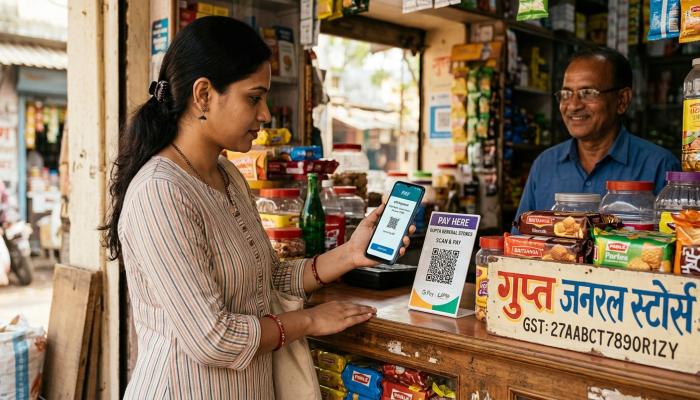
If you have ever paid for chai using your phone, or saved your card details in an app instead of carrying a physical card, you have already used a digital wallet. But many people still ask a simple question — what is a digital wallet, exactly, and how is it different from a normal payment app?
In this article, I will explain what a digital wallet is, how it works, its main features, and what you should check before using one. I will also cover common problems users face and simple tips to stay safe. This is written for Indian readers who are curious about digital payments, online trading platforms, or just want to understand this technology better before using it daily.
Table of Contents
What Is a Digital Wallet?
A digital wallet, sometimes called an e wallet, is an app or online service that stores your payment information digitally. Instead of carrying cash or physical cards, you store your card details, bank account information, or wallet balance inside the app. When you want to pay, you simply use the app instead of reaching for your wallet.
In India, digital wallets come in different forms. Some are standalone wallet apps where you load money and spend it directly. Others are linked to UPI, which lets you pay straight from your bank account without keeping a separate balance. Big tech companies also have their own wallet apps, like Google Wallet, which mainly store cards, passes, tickets, and loyalty cards rather than cash balances.
How Does a Digital Wallet Work?
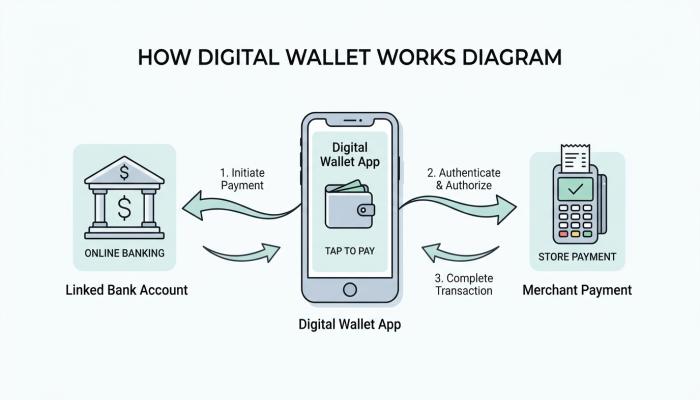
The basic idea behind a digital wallet is simple. You link a payment source — this could be a bank account, debit card, credit card, or a prepaid balance — to the wallet app. The app then acts as a middleman between you and the merchant.
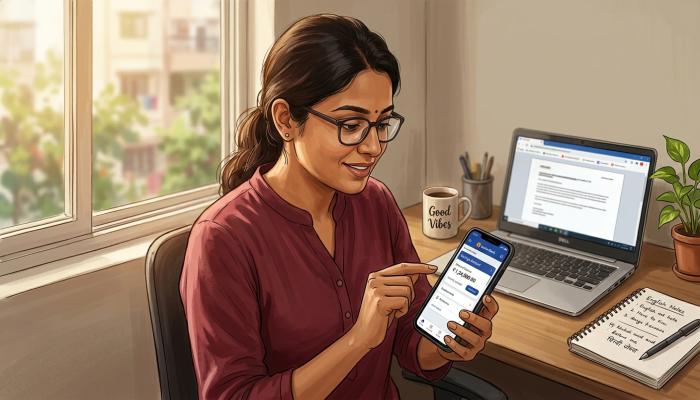
When you make a payment, the wallet app sends an encrypted request to process the transaction. You usually confirm it using a PIN, fingerprint, face scan, or a one-time password. The money moves from your linked account or wallet balance to the merchant, and you get a digital receipt inside the app.
Most wallet apps in India also let you do more than just pay merchants. You can send money to friends and family, pay utility bills, recharge your mobile, and sometimes even invest small amounts, depending on the app.
How to Use Google Wallet (As an Example)
Since many readers specifically search for how to use Google Wallet, here is a simple, general explanation of how it typically works. Please note that steps can change with app updates, so always check the latest instructions inside the app itself.
- Download the Google Wallet app from the Play Store.
- Sign in with your Google account.
- Add your card, pass, or ticket by following the on-screen steps and verifying your details.
- Use the app at supported payment points or to store boarding passes, event tickets, and loyalty cards.
Google Wallet in India is mainly used for storing cards and passes rather than acting as a full standalone payment wallet like some other Indian apps. The exact features available to you can depend on your phone, region, and the banks or services that support it, so it is worth checking current details on Google’s official page before relying on it fully.
Important Features of a Digital Wallet App
Most digital wallet apps share a few common features, though the exact list depends on the app you choose.
- Secure storage of payment details so you don’t need to enter card numbers every time.
- Quick checkout at supported stores, websites, or apps.
- Money transfer to other users, often instantly.
- Bill payments and recharges for mobile, electricity, DTH, and similar services.
- Transaction history so you can track your spending.
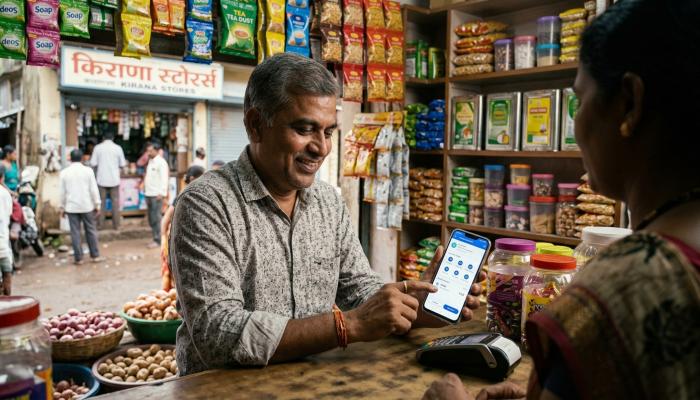
- QR code payments, which are very common in India for small shops and vendors.
Benefits of Using a Digital Wallet
There are genuine advantages to using a digital wallet, which is why they have become so popular in India.
Convenience is the biggest one. You don’t need to carry cash or multiple cards. Everything is on your phone.
Speed is another benefit. Payments through a wallet app are usually faster than manually entering card details every time.
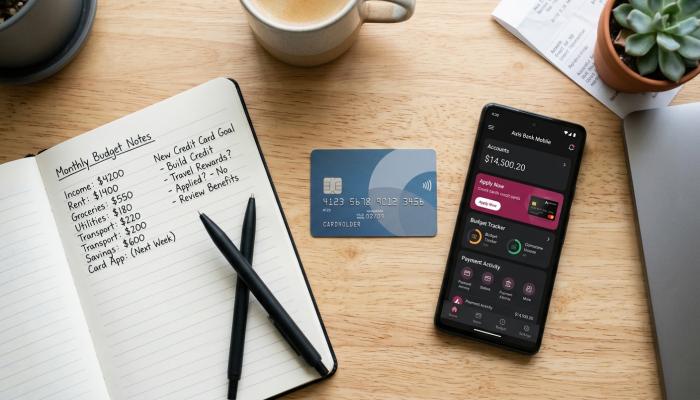
Better tracking of expenses is possible since most apps show your payment history clearly, which can help with budgeting.
Wide acceptance, especially for UPI-linked wallets, since most shops in Indian cities and towns now accept digital payments.
Also Read: MCX Share Price: Current Price, History, Targets, Tips and Corporate Actions
Limitations and Disadvantages
It’s equally important to know the downsides, so you can make an informed choice.
Not every shop, especially in smaller towns or rural areas, accepts digital wallet payments. Cash is still needed in many places.
If your phone is lost, stolen, or runs out of battery, you may temporarily lose access to your wallet unless you have a backup payment method.
Some wallet apps charge fees for certain transactions, like transferring wallet balance back to your bank account, or for payments beyond a certain limit. These charges can change, so always check the app’s latest fee structure before assuming a service is free.
There is also a learning curve for people who are not comfortable with smartphones or apps, particularly older users.
Common Problems Users Face
Based on general user experience shared across forums and reviews, a few problems come up repeatedly with digital wallets:
- Failed transactions where money is debited but not credited to the merchant, requiring a refund process.
- OTP or verification delays, especially during network issues.
- App crashes or login problems, particularly after updates.
- Confusion about charges, since some fees are not always clearly displayed upfront.
Practical Solutions to These Problems
If a transaction fails but money is deducted, most wallet apps have an automatic refund process within a few working days. If it doesn’t reflect, raising a support ticket inside the app is the usual next step.
For OTP or network issues, switching to a stable Wi-Fi or mobile network before attempting payment can help avoid failures.
If the app keeps crashing, updating to the latest version or reinstalling it often resolves the issue. If problems continue, checking the app’s official support page is a safer route than trying random third-party fixes.
For fee-related confusion, always check the in-app fee section or the official website before doing a transaction, especially for large amounts.
Charges and Costs
Digital wallet charges vary a lot between apps and change over time. Some wallets are free for basic UPI transactions, while others charge for wallet-to-bank transfers, credit card loading, or payments above certain limits. Because these charges are updated by companies from time to time, I would recommend checking the latest fee information directly on the official app or website before relying on any specific number.
Safety and Security Considerations
Digital wallets generally use encryption and multi-factor authentication, such as PIN and biometric verification, to protect your money. However, safety also depends on how carefully you use the app.
A few basic safety habits go a long way:
- Never share your PIN, OTP, or password with anyone, including people claiming to be from customer support.
- Enable app lock or biometric lock on your wallet app.
- Avoid clicking on unknown links asking you to “verify” your wallet.
- Regularly check your transaction history for anything unfamiliar.
Who May Find a Digital Wallet Useful
Digital wallets are especially useful for people who make frequent small payments, like daily commuters, students, and people who shop online often. They are also convenient for anyone who wants a clear record of spending in one place.
Who May Not Find It Suitable
People who mainly transact in cash, live in areas with poor internet access, or are not comfortable using smartphone apps may find digital wallets less practical for now. It’s fine to use a mix of cash and digital payments based on your comfort level.
Practical Tips Before Using a Digital Wallet
- Compare a few wallet apps based on your actual needs, like transfer limits or bill payment support.
- Read the fee and terms section before linking your bank account or card.
- Start with small transactions to get familiar with the app.
- Keep the app updated to the latest version for security patches.
Things to Check Before Using Any Digital Wallet
- Is the app from a verified developer, available on official app stores?
- Are the security features, like PIN and biometric login, enabled by default or do you need to turn them on?
- What are the current transaction limits and charges?
- Does the app have accessible customer support in case of issues?
FAQ
Is a digital wallet the same as UPI? Not exactly. UPI is a payment system that moves money directly between bank accounts, while a digital wallet can either hold its own balance or work as an interface that uses UPI in the background. Some wallet apps use both models.
Is it safe to keep money in a digital wallet? Digital wallets generally use encryption and authentication to protect transactions, but no digital service is completely risk-free. Following basic safety habits, like not sharing your PIN or OTP, reduces risk significantly.
Can I use a digital wallet without a bank account? Some prepaid wallet apps allow limited usage without a linked bank account, but full features usually require KYC verification and a linked bank account, depending on RBI rules at the time.
What is the difference between an e wallet and a wallet app? These terms are generally used interchangeably in everyday language. Both refer to apps that let you store payment information and make digital payments.
Do digital wallets charge fees? Some transactions may have fees, such as wallet-to-bank transfers or payments above certain limits. These charges vary by app and can change, so it’s best to check the latest fee details directly with the provider.
Conclusion
A digital wallet can make everyday payments faster and more convenient, whether you are paying a vendor, sending money to a friend, or storing tickets and passes. Like any financial tool, it has both benefits and limitations. The right approach is to understand how it works, check the current charges and safety features, and use it in a way that fits your comfort level and daily needs.
Disclaimer
This article is for educational and informational purposes only and should not be considered financial advice. Charges, features, and terms of digital wallet services can change over time, so please check official app or company sources for the most current information before making any decisions.