If you have heard about Go Payments and are trying to figure out what it actually does, how the login and agent process works, or who to call when something goes wrong, this article is for you. I am Shipon, and I write about trading and fintech platforms for Indian readers who want plain, honest information — not marketing language.
In this post, I will explain what Go Payments is, how the agent app and login process work, what services it offers, what its common user problems are, and what you should personally verify before you sign up as an agent.
Table of Contents
What Is Go Payments?
Go Payments is a digital financial services platform run by Instant Global Paytech Pvt. Ltd., a company founded in 2018. It is not a stock broker or a trading app. Instead, it works as a Business Correspondent (BC) network — meaning it connects local shop owners, kirana stores, and small entrepreneurs to banks so they can offer basic banking and payment services to people in their area.
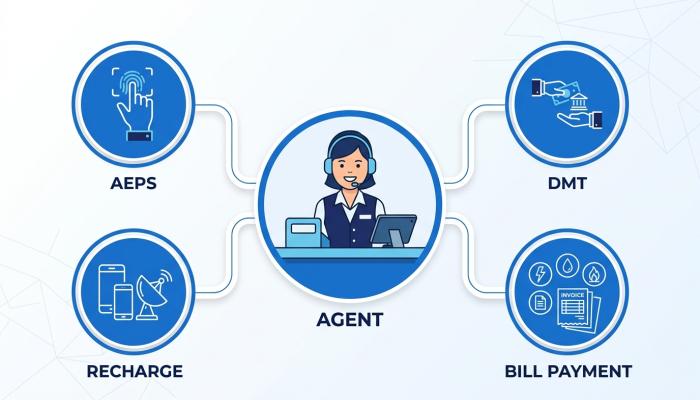
Through the Go Payments Business app, an agent can typically offer:
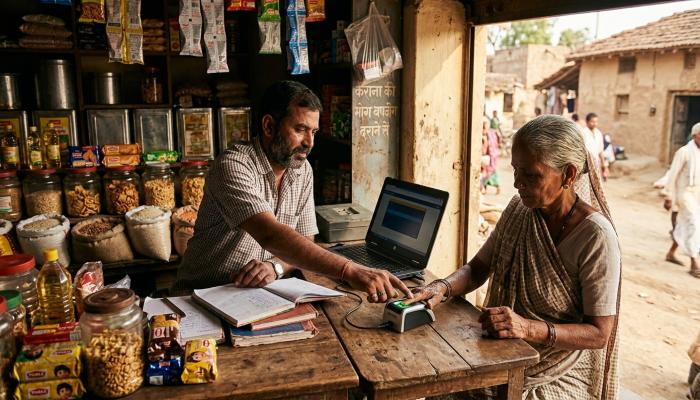
- AEPS (Aadhaar Enabled Payment System) – lets customers withdraw cash or check balance using their Aadhaar number and fingerprint, without a debit card.
- DMT (Domestic Money Transfer) – sending money to any bank account in India using cash.
- Bill payments and recharges – electricity, DTH, gas, mobile recharge, and other utility bills through BBPS.
- Micro ATM and Aadhaar Pay services.
- Cash collection services for companies, where the agent collects payments on behalf of larger businesses.
- Prepaid and gift card services for corporates, which employees can use through a separate cardholder app.
So there are actually more than one Go Payments app — one for agents/retailers (Go Payments Business), and another for corporate cardholders (Go Payments Cards). If you download an app, check carefully which one matches what you actually need.
How Go Payment Login Works
To use the platform, you generally need to go through this process:
1. Registration as an Agent
You register as a retailer or agent, usually through a distributor or directly on the company’s onboarding page. The company describes this as a fully digital KYC process, which means you complete identity verification online instead of submitting physical paperwork.
2. Go Payment Login App
Once your account is approved, you log in either through the Go Payments Business mobile app or through the agent web portal. The login typically requires your registered mobile number or user ID and password. Newer versions of the app have also added biometric login (fingerprint or Face ID) as an alternative to typing a password every time.
3. Agent Web Portal
If you prefer using a computer instead of a phone, Go Payments also has a retailer login portal for agents. Since login pages and portal addresses can change over time, always access it through the official app store listing or the company’s own website rather than searching randomly online — this is a basic safety habit for any app that touches your money.
Go Payment App Download – Latest Version
If you are searching for the “go payment app download latest version,” here is what I would suggest:
- Download only from the official Google Play Store or Apple App Store listing. Do not download APK files from random third-party websites, since fake apps that copy the name and logo of real payment platforms are a common scam method in India.
- Check the developer name on the store listing — it should show Instant Global Paytech Pvt Ltd.
- Before updating to a new version, read the “what’s new” section so you know what has changed, especially around login or security features.
I have not personally used the app, so I cannot comment on my own experience with its speed or interface. What I can tell you is based on publicly available information from the app stores and the company’s own materials.
Go Payment Agent: Is It Worth Becoming One?
Becoming a Go Payments agent means you are essentially working as a Business Correspondent, earning commission on the transactions your customers make through you — recharges, bill payments, money transfers, and AEPS withdrawals.
Who might find this useful:
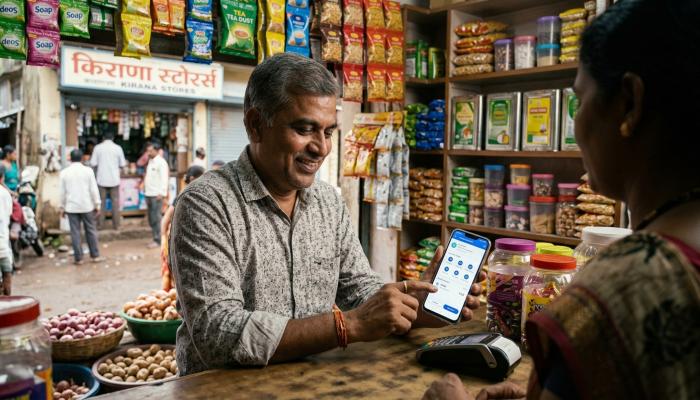
- Kirana shop owners, mobile shop owners, or small retailers who already have walk-in customers and want to add an extra income stream.
- People in semi-urban or rural areas where bank branches are far away, since AEPS and DMT services fill a real gap for the unbanked and underbanked population.
Who may not find it suitable:
- Anyone expecting this to be a large, guaranteed source of income. Commission-based earning from BC services is generally modest and depends heavily on transaction volume.
- People who are not comfortable handling cash and digital reconciliation daily, since agents typically collect cash from customers and then process the digital transaction.
Charges, Commissions and Costs
The company’s own materials mention onboarding “at zero cost” for agents. However, charges, commission structures, and transaction limits on services like AEPS and DMT can change from time to time, and they may also vary based on your distributor or the specific plan you are given. I do not have current, verified figures for commission rates or transaction charges, so please check the latest update information directly with Go Payments or your onboarding distributor before signing up, rather than relying on anything you read online, including this article.
Common Problems Agents and Users Face
Based on general patterns seen across BC and AEPS platforms in India (not specific to Go Payments alone), here are common issues you should be prepared for:
- Biometric failures – AEPS transactions depend on Aadhaar fingerprint matching, which can fail due to worn fingerprints, dirty scanners, or network issues.
- Transaction delays or failures – Money transfer or bill payment requests sometimes get stuck in a pending state, especially during bank server downtime.
- Login or OTP issues – Password resets and OTP delivery delays are common with most login-based finance apps, not unique to any one platform.
- KYC and document rejection – Digital KYC can get rejected if the documents uploaded are unclear or details don’t match Aadhaar/PAN records.
Also Read: Section 142(1) Income Tax Notice: What It Means and How to Handle It
Practical Solutions
- Keep your registered mobile number active and check that OTPs are not being blocked by DND settings.
- If a transaction fails but money is deducted, wait for the standard reversal timeline before escalating, and keep a screenshot of the transaction ID.
- Clean the biometric scanner and try a different finger if AEPS authentication keeps failing.
- Always note down the transaction reference number before contacting support — this speeds up resolution significantly.
Go Payments Customer Care Number India 24/7
Many readers specifically search for a Go Payments customer care number. Based on the company’s official retailer login portal, the listed contact details are:
- Customer Care: 022-62143030
- Email: support@go.ooo
I would still recommend double-checking this number on the official Go Payments website or your registered agent portal before calling, since contact details for financial platforms can be updated over time, and there is no way for me to confirm this number is monitored 24/7. Never share your app password or OTP with anyone claiming to be from customer care — legitimate support teams do not ask for these.
Safety Considerations Before You Sign Up
- Verify the company name (Instant Global Paytech Pvt. Ltd.) matches what is shown wherever you are registering.
- Don’t share your login credentials, OTP, or biometric access with anyone else, including other agents.
- Keep your own records of every transaction separate from the app, at least until you are confident in the platform’s reporting.
- If you’re evaluating this as a business opportunity, ask your distributor for a clear, written commission structure instead of relying on verbal promises.
FAQ
1. Is Go Payments a trading or investment app? No. Go Payments is a payments and Business Correspondent platform, not a stock trading or investment platform.
2. Can I use Go Payments without becoming an agent? The core app is built for agents and businesses. Regular consumers generally interact with Go Payments indirectly, for example when a local retailer processes their AEPS withdrawal or bill payment.
3. Is the Go Payments app safe to download? Download it only from the official Play Store or App Store listing under the developer name Instant Global Paytech Pvt Ltd, and avoid third-party APK sources.
4. How do I recover my Go Payment login if I forget my password? Both the app and the web portal have a “Forgot Password” option. If that does not work, contact customer care through the official channel rather than any number found through a general web search.
5. Does Go Payments guarantee fixed monthly income for agents? No. Earnings depend on transaction volume and commission structure, and no legitimate BC platform can guarantee fixed income.
Conclusion
Go Payments is a Business Correspondent and digital payments platform aimed mainly at retailers and small agents who want to offer AEPS, DMT, bill payment, and related services to their local customers. It is not a stock market or trading platform. If you are considering becoming an agent, the opportunity can make sense for shop owners with steady footfall, but you should verify current charges, commission rates, and support contact details directly with the company before committing, and treat any income potential as variable rather than guaranteed.
Disclaimer
This article is for educational and informational purposes only and is not financial or investment advice. Charges, features, and contact details mentioned here are based on publicly available information at the time of writing and may have changed since. Please verify all details directly with Go Payments / Instant Global Paytech Pvt. Ltd. before making any decisions.